School Reasons
Add a custom reason Optional
Custom Recognition
Use this when none of the school's existing reasons fit.
Spend less time switching between apps.
Give Recognition. Run House competitions. Record incidents. Use classroom tools. See school reports.
© 2026 TrackEDU Ltd · Registered in England & Wales 17216557 · hello@trackedu.net
Sign in to access your school workspace.
By continuing, you agree to our Terms, Privacy Policy & DPA.
Run House Points and the classroom tools you already need from one place.
Start small, then roll out consistently across classes, teams and staff.
You've reached the limit of your current plan.
✨ Upgrade to Unlock:
Add your role, House and class details to continue.
Loading...
✓ Verified by Google
Select your House if applicable, or choose Whole School / No House.
✓ Select “No House / Whole School” if you are not attached to a specific House.
Enter your license key to unlock all features
Code is case-sensitive. Enter exactly as provided.
Continue with an Annual School Licence to keep your TrackEDU system running.
Three integrated apps. One unified platform. Zero spreadsheets.
Licence details
We're hand-selecting 5 schools for our Charter Pilot. Selected schools receive 1 year full access plus dedicated training.
Only apply if authorized to make school-wide decisions
We’ll prepare an email with your School Licence details and open it in your email app. You can review it before sending it to your principal, finance team or other budget holder.
Tell us who should receive the invoice or purchase-order information for your annual School Licence.
0 students selected
House Points
Ready-to-use ideas to keep houses active during quiet weeks and school events.
Paste student list from Excel or Google Sheets
Copy from Excel/Google Sheets and paste below.
Format: First Name, Last Name (Last Name optional)
Adding to: Loading... • Loading...
Students in this class will become 'Unassigned'.
This action cannot be undone.
Teachers who want to join your school
Teachers approved from other domains
Configure house identities, colors, and messages
Manage your school, staff, students and House system.
Review your school setup and see what is ready.
Choose one area to set up. You can return to the other settings later.
The System Admin manages House Settings, Student Badges & Ant Characters, Privacy & Data and other school-wide settings. This responsibility can be transferred to another member of staff.
Ownership is separate from System Admin access. Transfer ownership when responsibility for the school account permanently moves to another member of staff.
Your System Admin already has access and does not need to be added again. Add the exact email address of a trusted colleague to grant access to House Settings, Student Badges & Ant Characters, Privacy & Data and other administrator tools. Find the Ant Characters setting under School Management → System Setup → House Management → Student Badges & Ant Characters.
Use the colleague's exact email address. Administrator access is granted when the address is added. This is not a staff invitation.
See important changes made across your school.
Choose how student names appear on shared and student-facing screens.
Download a copy of your school's TrackEDU data for record keeping, migration or data governance.
Permanently delete this TrackEDU school account and its operational school and student data.
Set the reasons teachers can use for positive recognition or quick Needs Work feedback.
Manage Houses, House Badges and Student Badges. Choose TrackEDU's evolving Ant Characters or your school's own custom student badges.
Share live House standings with families and your school community. No login is required. Student information is never shown.
Use this option if you want to upload student data manually from a spreadsheet.
Upload your completed CSV file. Students get auto-generated IDs.
Use this option if your school already manages classes in Google Classroom. No CSV upload is needed.
Currently available in demo/testing while full school connections are being prepared.
Use filters above to narrow which students to balance
This permanently deletes this school's operational TrackEDU data.
Choose how student names should appear on shared and student-facing TrackEDU screens.
Choose the reasons teachers use to give points or record Needs Work.
Define shared milestones earned by each House as its total points grow.
Optional school-wide setting. Off keeps your editable student badges. On uses 30 fixed ant characters, one per 50 individual points. Your custom badges remain saved.
Your Pro Ecosystem license has expired. Please enter a new activation code to restore access.
Launch polls and gather student feedback
Create branded posters with a QR code linked directly to your Student App. No separate QR code generator needed.
Official Identity: Displays all house names, colors, and official branding.
Preview generated below. You can download the full poster or just the QR code.
Select settings on the left and click Generate.
Choose which features to reset
Hype up your next big House event!
Monitor house energy levels. Adjust the reward points distributed to all house members when the core hits 100%.
Challenge houses with a weekly quiz question
Select a question from the Quick Quiz library to load it into the weekly teaser form.
Create scrolling announcements that appear in the header bar
Announcements scroll automatically • Titles and points optional
Create a personal import sheet.
Upload your completed file.
Breakdown of correct answers this week.

Clear steps for everyday school tasks
Find a task below. Open it to see the steps.
Tip: Select Admin Quick Start above for a guided tour.
Only staff with the right access can add or change student records.
Your school can use TrackEDU without House competitions.
Teachers and school administrators may see different tools.
Example: Award 5 points for showing kindness.
Points Per Student: 5 points to each student.
Split Evenly: Share 20 points across the chosen students.
Remember: Needs Work is not the same as a formal behaviour incident.
Do not record Needs Work just to fix an incorrect House total.
Teachers will use the reasons set by your school.
Badges are earned by individual students as their points grow.
Magic Hat: Pick a student at random.
Squad Builder: Make student groups.
Quick Quiz: Run a class quiz.
Loot Drops: Use reward codes.
Use the available Assembly tools to show House results during a school event.
Some reports are only shown to school leaders.
Record what happened. Check what needs to be done next.
Needs Work or Behaviour? Use Needs Work for quick classroom feedback. Use Behaviour & Support when you need to record an incident and follow up.
Example: "The student left their seat three times during the lesson."
Write what you saw. Do not guess why the student did it.
Pre-Tier 1: Early concerns. Start by keeping a record.
Tier 1: More support may be needed.
Tier 2: More staff may need to help.
Tier 3: The student may need a more detailed support plan.
Your school's settings decide the point values and tier rules. Follow your school's behaviour policy.
Check due dates. Do not mark a task complete before doing it.
For urgent concerns, follow your school's safeguarding and reporting rules. Do not rely only on an app notification.
Access to student behaviour reports is limited to authorised staff.
Learn how students can use their own portal.
Ask your teacher if you cannot get in.
Teachers give points when they record recognition.
Your school chooses the badge milestones. Character rewards may also be available.
This is shown when your school uses Houses.
Some activities only appear when your school turns them on.
Essential tools for running a successful house system
Choose it once. TrackEDU opens and closes the hunt automatically.
See who participated and which new words each student unlocked.
Track teacher activity, toolkit usage, and student performance
| Rank | Tool Name | Usage Count | Points Generated |
|---|---|---|---|
| Loading... | |||
Based on award reasons that mention toolkit names
| Date | House | Points | Reason | Teacher |
|---|---|---|---|---|
| Loading... | ||||
Awards points to all eligible students in this grade.
Select a reason to apply its configured deduction per student.
TrackEDU
| Date | Present | Absent | Unmarked | Rate |
|---|---|---|---|---|
| Loading... | ||||
0/12 rewards
Customize the rewards for this class. Students earn points to unlock these rewards.
Administrative Maintenance Tools
| DATE | HOUSE | POINTS | REASON | ACTION |
|---|
| DATE | STUDENT | HOUSE | ACTIVITY | DETAIL | POINTS |
|---|---|---|---|---|---|
| Open this tab to load Student Portal activity. | |||||
Every point earned by any student contributes to their House total. As your House reaches milestone point thresholds, it unlocks permanent badges displayed on the House Dashboard and Certificate. Houses compete in a friendly, supportive environment to see who can demonstrate the most school spirit!
Each milestone unlocks a new badge for the House. Badges appear on House Certificates and the House Dashboard.
Pro Tip: From the Dashboard, tap any House card and click 'Download Certificate' to save a personalized PNG of your House's achievements!
Every student follows a unique Learner's Journey. As they earn points, they unlock levels and receive Holographic Trading Cards featuring evolving characters with special powers. The points needed for each milestone are fully customizable by your school! Students can view, flip, download, and print their complete card collection directly from their Student Portal.
Click the Student Portal button in the Dashboard header, or click View Profile on the student hub card.
Tap the Menu icon (≡) at the bottom, then select Student Portal from the smart menu.
Inside the Student Portal, click OPEN HOUSE ALBUM → Print Album for a 3-page physical collection, or Download My Cards to save individual PNGs.
Each class can earn points collectively to unlock fun classroom rewards like Extra Recess, Movie Time, No Homework Day, or even a Pizza Party! Teachers can fully customize these rewards - change names, point thresholds, descriptions, and add their own unique rewards.
In Student Management, click on your class name (e.g., "Year 5A") to open the Class Dashboard.
Inside the Class Dashboard, navigate to the Class Rewards section to view and edit rewards.
Add your own rewards, change point thresholds, edit descriptions, or delete existing ones.
Pro Tip: You can also access the Class Dashboard from the Teacher Toolkit → Class Dashboard.
TrackEDU has three connected apps that work together. The Teacher App manages points, classes, and rewards. The Student App lets students track their personal points, unlock holographic cards, and participate in school-wide events. The Behavior Tracker helps teachers and leaders monitor student well-being, identify patterns, and develop strategies to support positive outcomes.
Click 'Student Portal' in dashboard header
Tap Menu (≡) → 'Student Portal'
Student ID + Class Passcode
Teachers and school leaders can use the Behavior Tracker alongside the Rewards system to identify patterns, celebrate positive trends, and develop targeted support strategies.
Year 5B points +40%, incidents dropped. Teacher shares strategy school-wide.
Three students low points + multiple incidents. SAC check-in reveals group work struggles → intervention created.
Highest incidents + lowest points on Mondays. "Monday Check-In" routine drops incidents 25%.
Teacher uses "Golden Ticket" for peer help. School adopts it → incidents drop school-wide.
High points but incidents during transitions. Fix: Add points for smooth transitions. Incidents drop 40%.
Pro Tip: Use the Behavior Tracker's Dashboard view to see school-wide trends and identify which times, days, or activities need additional positive reinforcement. Look for teachers whose classes have high points AND low incidents - they may have strategies worth sharing school-wide. Also watch for high points + high incidents - this often means rewards are working for academics but not yet aligned with behavior expectations.
Each student receives a unique ID from their teacher. Combined with their class passcode, they can securely access their profile.
Students tap 'BOOST' once daily to send 1% energy to their House reactor. When the reactor hits 100%, a House Blast triggers, giving bonus points to every active House member!
Students check in daily to build their streak. After 5 consecutive days, they spin a Mystery Wheel for bonus points!
Rare gems randomly float across the student dashboard. Tap them instantly to claim bonus points!
Teachers generate 6-letter codes. Students type them in their Profile to claim instant points!
Students get one secret letter. Houses collaborate to form the mystery word. First to guess correctly wins a massive point bonus!
Students answer a weekly quiz question. Correct answers earn points for themselves AND their House!
Students vote on school themes or activities. Every verified vote earns +1 House Point!
Every 50 points unlocks a new 3D card. Students can flip, download, and print their complete collection!
Click your class name in Student Management to access Class Dashboard → Class Rewards to customize your store.
Students can download their holographic cards as PNG images or print their 3-page album. Once downloaded, these cards are yours to keep forever - even if school points reset for a new term!
Quick tools for classroom management, participation and House engagement
Build it once. Run it live. Reuse it anytime.
Build reusable multi-round House challenges for assemblies, lessons, Book Week, Sports Day, Values Week and school events.
Tell us what would make your classroom easier.
Found a bug? Have a feature suggestion? Let us know and we'll get back to you within 24-48 hours.
Choose a tutorial to watch
2 minute video • See what each tool does
| ❓ Students not getting mystery word letters | Check mystery word is active. Go to Mystery Word tool → Set a new word → Activate. Students get 1 letter per day. |
| ❓ Power Boost not giving points | Check each house has a reward amount set (1-5 points). Students can only boost once per day. |
| ❓ Poll votes not showing up | Refresh the page. Poll stats update in real-time. Check students are voting in Student App. |
| ❓ Analytics shows no data | Data appears after points are awarded. Award some test points to generate data. |
| ❓ Quiz answers not saving | Click "Save Quiz" after making changes. Version resets when new quiz is published. |
| ❓ Poster QR code not working | Test the URL in a browser. Make sure Student App is accessible at your school. |
| ❓ Countdown not showing in Student App | Check the date is in the future. Students may need to refresh the Student App. |
2 minute video • Covers everything below
Step-by-step CSV import tutorial
2 minute video • See what each tool does
CODE: BRAVERandomly picks a student from your selected class or whole school.
Tap +1, +2, or +4 to reward the winner instantly.
After all students have been picked, the hat automatically resets.
Winners glow with their house colors for that premium feel!
Randomly picks a house from your school. No repeats until all houses have been chosen!
Limit points to a specific class instead of the whole school using the dropdown.
Points are awarded to ALL active students in that house (or class).
After all houses are picked, the wheel automatically resets.
Quick-select 30s, 1min, 2min, 3min, 5min, or 10min.
Tap START to begin, PAUSE to stop. The button toggles automatically.
Tap the reset button to restart the timer at the selected duration.
Timer turns yellow at 30 seconds, red at 10 seconds!
Choose between Calm Study, Energetic Focus, or Upbeat Classroom music. Muted by default. Unmute to play!
Select a student to preview
Select a student
Each house has its own timer. Set different times for different tasks! Perfect for station rotations.
Points are awarded ONLY to students in your current selected class. No accidental school-wide awards!
Click +1 or +2 to instantly award points to ALL students in that house within your current class.
Each timer has its own preset buttons (30s, 1m, 2m, 5m) - set different times for different houses!
Set a timer for classroom activities. When time runs out, the Magic Hat automatically picks a student!
Manually pick a student or wait for the timer to trigger an automatic pick.
When the timer hits zero, the Magic Hat spins and selects a random student automatically!
After a student is picked, tap +1, +2, or +4 to reward them instantly.
Randomly picks a student for a specific classroom job.
Line Leader, Messenger, Tech Helper, Door Holder, Board Wiper, Supply Manager, Library Monitor, Lights Monitor, Timekeeper, Eco Warrior, Peacekeeper, Desk Inspector.
Keeps track of who has been picked so everyone gets a turn before repeating.
The winner's avatar glows with their house colors!
Completely random groups. Great for breaking up cliques.
Puts one student from each house per group. Ideal for competitions.
Keeps houses together. All Red students in one group, etc.
Choose "Add to groups" or "Create separate" for remaining students.
Uncheck houses to exclude them from this game.
Use Silent Reading, Pair Work, Group Work, Presentation, or Exam Mode. This makes the meter fair for the lesson.
Start with 1 minute. Increase the goal once the class understands the routine.
The tool checks sound level only. It does not save words or recordings.
Green says “Shhhhh...”, yellow says “Too loud...”, red says “Pause!”, and reward says “Great job!”.
Use automatic rewards when the goal is reached, or press Reward when you want to recognise the class manually.
Create a secret code for points.
Create a unique 6-character code linked to points and a reason.
Display the code on screen or share it verbally with your class.
Choose Whole School or Specific Class for the reward.
Codes expire after 24 hours. Students must enter them in the Student App!
Enter your Pro Ecosystem license key to unlock all features.
Enter the code exactly as provided by TrackEDU
Your Pro Ecosystem license has expired. Please enter a new activation code to restore access.
TrackEDU schools can access free professional development, online or in person, to help staff build a House system students notice, understand and want to take part in.
Reward participation, cheering, House banners, relays and students helping their House team.
Participation • Team spirit • House PointsTurn costumes, reading, library helpers and House storytelling into ways students can earn points.
Reading • Creativity • Participation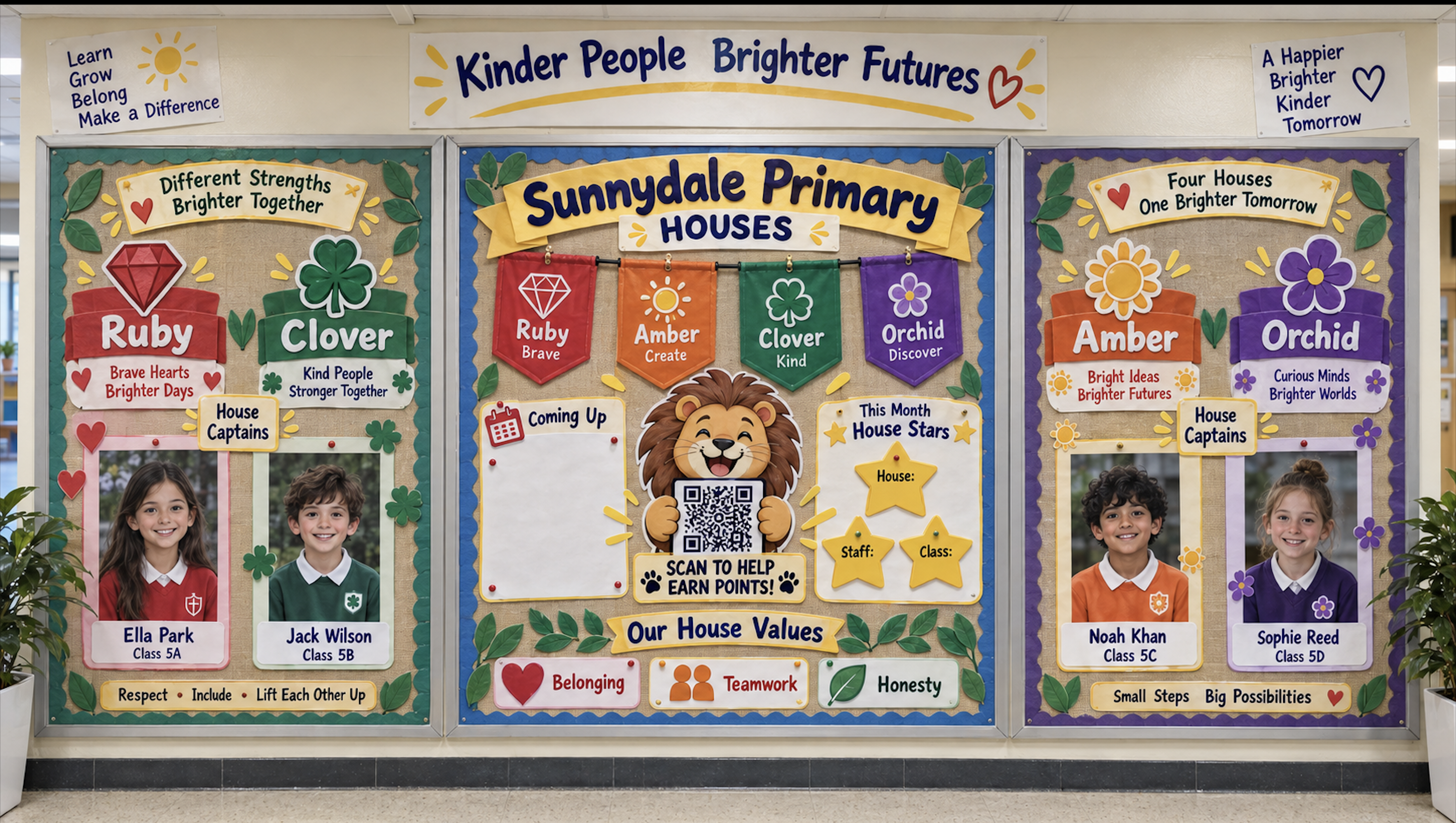
Clear information for school leaders, IT teams, data-protection leads and procurement teams considering TrackEDU.
Students can use the Student Portal with a Student ID and class access code. Student email addresses are not required.
TrackEDU does not display third-party advertising to students or teachers.
Schools control teacher access, administrator access and how student names appear on shared displays.
TrackEDU provides export tools so schools can retain copies of their own records.
TrackEDU stores information needed to provide the platform and the features enabled by each school.
The Student Portal does not require student email addresses.
Student payment or financial information is not needed to use TrackEDU.
TrackEDU does not build advertising profiles from student activity.
Used for supported teacher authentication and Google Classroom connection.
TrackEDU uses Firebase services for authentication, cloud database functionality and application infrastructure.
Google and Firebase are trademarks of Google LLC. TrackEDU is not affiliated with Google.
Schools decide which staff can access TrackEDU, which students are added, which features are enabled and how student information is displayed.
School data is retained while required to provide the TrackEDU service and in accordance with TrackEDU's legal documentation and applicable obligations. Schools can contact TrackEDU regarding deletion, retention or account closure.
UK registered company
Data protection registration
Download the short Trust Summary or review the full legal documents with your IT, procurement or data-protection team.
Share TrackEDU with your IT manager, technology director, data-protection lead or procurement team. We can provide supporting information for your school's review.
Practical ideas for making your House system visible around school.
A strong House system should exist beyond a screen. Use boards and displays to make identity, recognition, challenges and participation part of everyday school life.